
A website can look good and still fail before it gets its first serious visitor.
We experienced this while working on the SEO of a 26-year-old CBSE school in Hyderabad. The school's website did not look particularly bad at first glance. But once we started looking beyond the homepage, we found slow loading, mobile layout problems, redundant plugins, conflicting functionality and perhaps most importantly contact forms that were not reliably delivering enquiries to the school's email IDs.
None of these problems would necessarily be obvious to someone judging the website from a quick visual inspection.
That experience reinforced something we have learned while working on websites: a website should not be considered launch-ready simply because it looks finished.
Before a new website goes live, it needs to be tested from at least four perspectives:
SEO is therefore not something that should be added after the website has been designed. Many SEO problems are actually website-development and content-structure problems that are much easier to prevent than fix later.
Here is a practical 25-point checklist for startups and businesses preparing to launch a new website.
Before creating pages, identify the topics and search queries that matter to the business.
Start with a few simple questions:
You don't need hundreds of keywords before launching.
The objective is to understand the language your potential customers use and then use that information to shape the website's content and structure.
One common mistake is expecting the homepage to rank for every need.
Instead, map different search targets to appropriate pages of the website. For example, a company or brand search should lead to the homepage, a specific service to a service page, a product category to a product/category page, a specific problem to a solution page, an informational question to a blog or guide, and a local service to a location/service page.
This creates a clearer relationship between what people search for and what they find on your website. It also reduces the temptation to fill one page with every possible keyword.
A visitor should be able to understand how the website is organized without having to think too much - for example, Home branching into Services, Industries, Resources (Blog and Guides), About and Contact, each with a sensible sub-structure underneath.
There is no single structure that works for every business. The important thing is that the hierarchy is logical and important pages can be reached through normal navigation and internal links.
Google recommends making pages discoverable through crawlable links and using a logical structure to help both users and search engines understand the site. (Google Search Central, "SEO Guide for Web Developers")
Compare example.com/page?id=472 with example.com/seo-services/. The second URL immediately gives the visitor an idea of what the page contains.
Keep URLs descriptive, consistent and reasonably short.
Avoid creating unnecessary URL variations during development. If a URL has to change after launch, use an appropriate redirect rather than leaving visitors and search engines with a broken address.
This is one of the simplest checks that is often overlooked.
We frequently see websites where the homepage has a carefully written title while inner pages are left with automatically generated or generic titles - for example, "Services | Company Name" instead of "Digital Marketing Services for Small Businesses | SG Digital Ventures."
Every important page should have a title that accurately describes its content. Google specifically recommends descriptive, concise and distinct titles rather than repetitive or keyword-stuffed titles. (Google Search Central, "Influencing Title Links in Google Search")
Don't assume that your SEO plugin has solved this automatically. An SEO plugin can provide the field. It cannot understand your business strategy as well as the person responsible for the website.
The same problem often happens with meta descriptions.
The homepage receives attention because it is the most visible page. Service pages, product pages, About pages and other important inner pages are sometimes left to whatever text an SEO plugin automatically picks from the respective page and generates.
Every important page deserves a description written with that page's purpose in mind. For example, a page about website design should not use the same description as a digital marketing page.
A useful meta description should tell a searcher what they can expect to find on that particular page. Google may generate snippets automatically, so a meta description is not a guarantee of what will appear in search results. However, providing useful page-specific descriptions gives Google another relevant source of information. (Google Search Central)
The page should have a clear primary heading that immediately tells visitors what the page is about.
Don't make several headings visually compete with each other simply because the design permits it.
A service page might have an H1 like "Website Design Services for Growing Businesses," followed by supporting H2 sections.
The visual hierarchy should make sense to a visitor and should accurately represent the page's main subject.
Internal linking is often treated as something to be done after all the content is finished. It should be considered during development.
Ask: "If someone lands on this page, where should they go next?"
A service page might link to a relevant case study. A blog article might link to a service page. An industry page might link to relevant solutions.
Internal links help visitors navigate the site and help search engines discover relationships between pages.
Use descriptive anchor text rather than repeatedly relying on phrases such as "click here."
A page may exist on the website but still be difficult to discover because nothing links to it.
Before launch, make a list of important URLs and ask: "How would a visitor reach this page?"
If the answer is "only if they already know the URL," the internal linking structure needs another look.
Google recommends ensuring that pages can be reached through links from other discoverable pages. (Google Search Central)
This is another area where websites often take a shortcut.
We sometimes find that large or prominent images have descriptive alt text while smaller images across the website are simply labelled "Image1," "Image2," "ABC," "Banner" or "Photo."
That technically fills an Alt text field, but it misses the purpose of the field. Alt text should describe what the image actually represents and provides useful context.

Google explains that alt text helps it understand images and also improves accessibility for people who cannot see them. Google also recommends descriptive filenames and alt text while warning against keyword stuffing. (Google Search Central, "Image SEO Best Practices")
The goal isn't to insert keywords into every image. The goal is to describe the image accurately and naturally.
SEO and visual design should not compete with each other.
We have seen websites where a page becomes almost entirely text because the team wants to provide "SEO content." We've also seen pages overloaded with images, patterns, animations and videos, leaving very little useful information for visitors or search engines.
Neither extreme is ideal.
A well-designed page should establish an information hierarchy: What is this? Why does it matter? Why should I trust you? What should I do next?
Text, images, graphics, videos, testimonials and other visual elements should work together to answer those questions.
The objective is not to fill a page with content. It is to provide the right content in the right format at the right point in the visitor's journey.
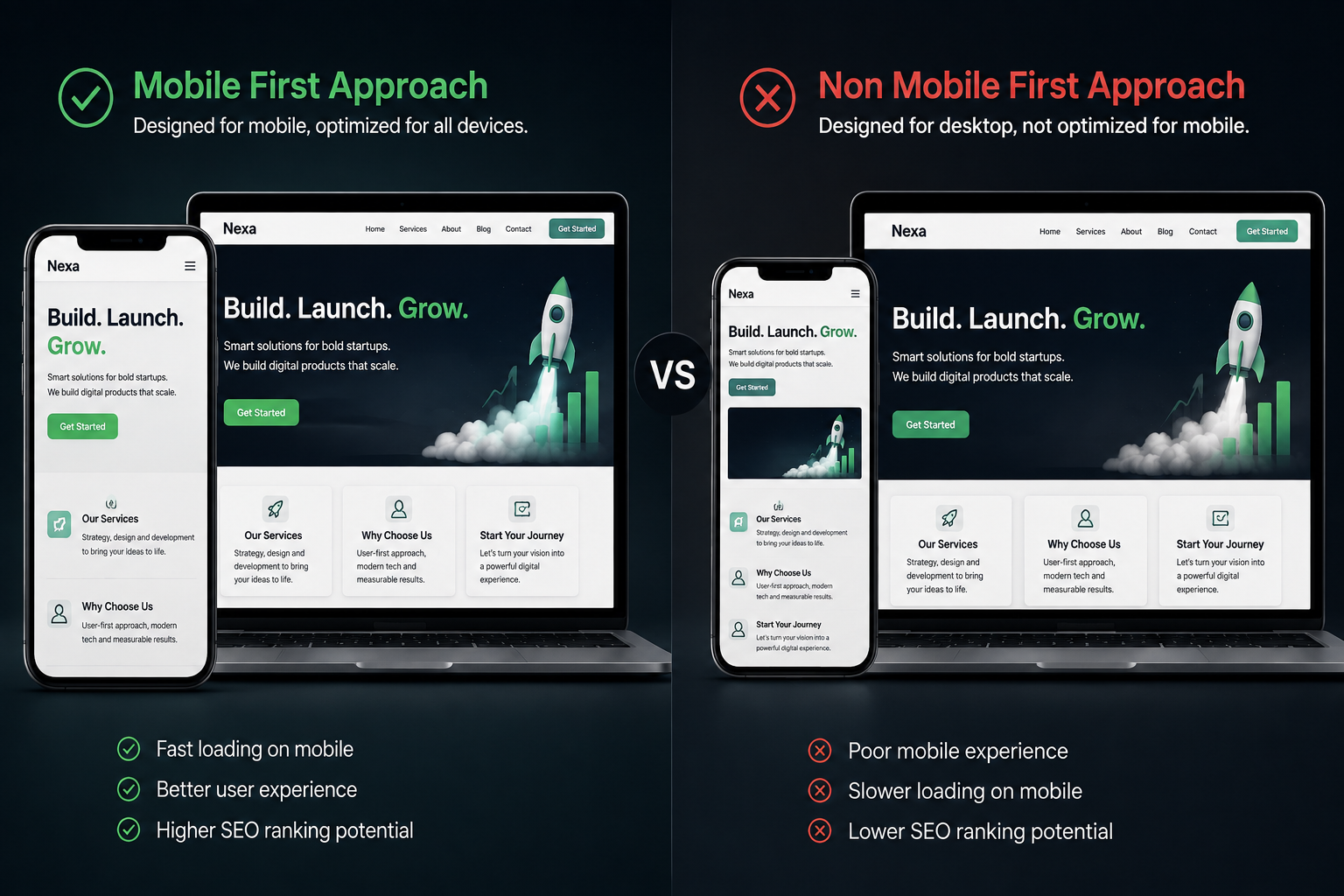
A mobile website should not simply be a smaller version of the desktop website.
Before launch, inspect the website on actual smartphones and look at the complete experience. Check navigation, text wrapping, images, icons, videos, buttons, forms, spacing, pop-ups, sticky elements, phone and WhatsApp buttons, the footer, and tables and other complex elements.
A design that looks perfect on a large monitor can become difficult to use on a phone. For example, a CTA that is perfectly positioned on desktop might move below several screens of content on mobile. An image may crop an important subject. A video may become too large. Two columns may become awkwardly stacked.
Google's guidance emphasizes mobile accessibility and responsive experiences, and its image guidance also recommends responsive images for better user experience across devices. (Google Search Central)
Don't just resize the desktop website. Experience the website as a mobile visitor.
A website can have beautiful design and useful content but still provide a poor experience if important pages load slowly.
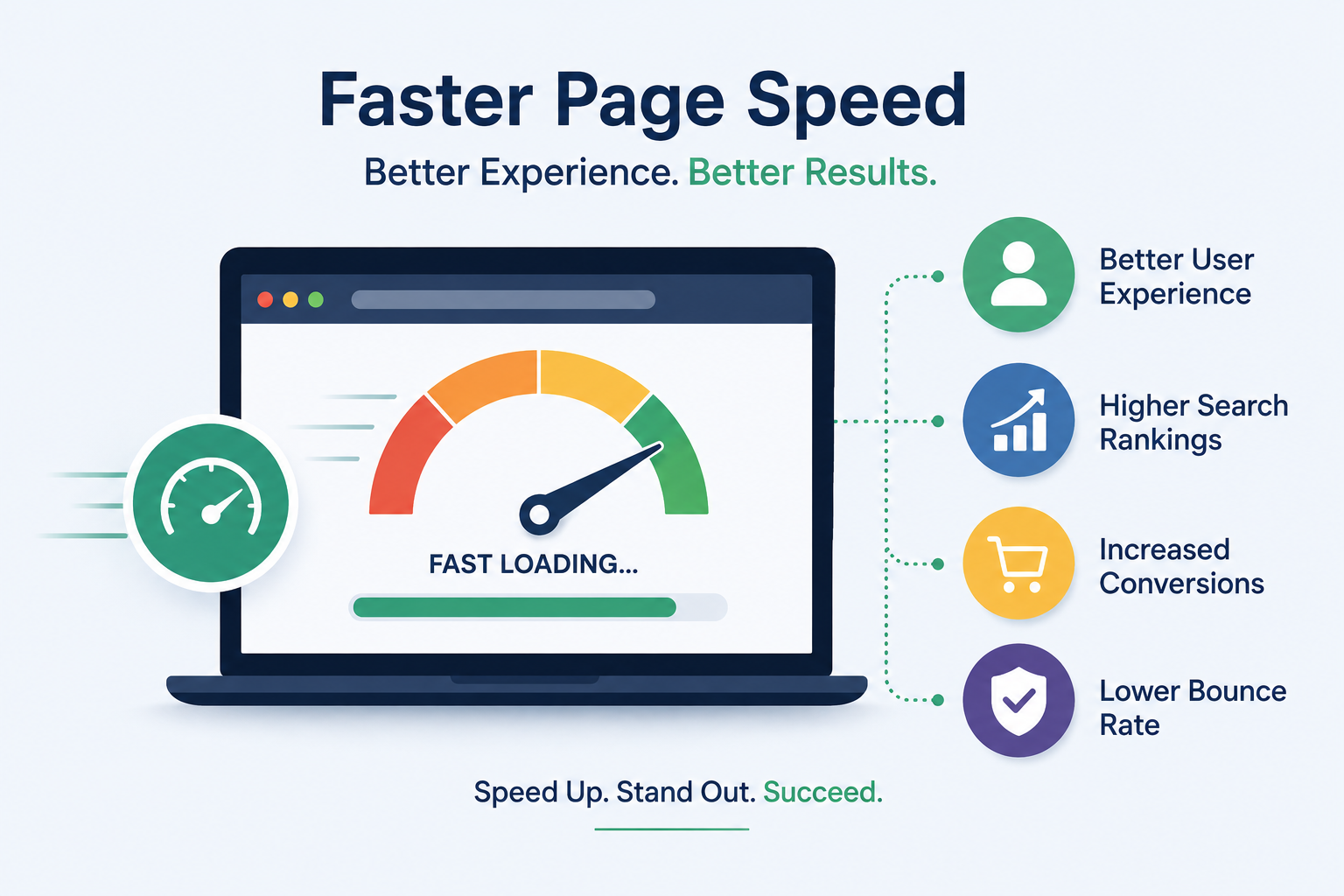
Test the homepage and important landing pages using tools such as Page Speed Insights.
Look for common causes: oversized images, too many scripts, excessive animations, unnecessary plugins, heavy videos, poor caching, unoptimized fonts, and redundant functionality.
Don't chase a perfect score simply for the sake of the score. Instead, understand what is slowing the website down and decide whether each element is worth its performance cost.
This is particularly important for WordPress websites.
During audits, we sometimes find multiple plugins providing overlapping functionality. For example, a website may use Elementor Pro while also having additional Elementor addon plugins installed to perform functions that the existing setup can already handle.
This creates unnecessary complexity.
More plugins do not automatically mean a bad website. A required, well-maintained plugin can be perfectly reasonable. The problem is redundancy.
Unnecessary plugins can add page weight, increase maintenance requirements, create compatibility issues, make troubleshooting harder, introduce conflicting functionality, and increase the number of components that need updating.
A useful pre-launch question is: "Do we actually need this plugin?" If another existing component already provides the required functionality, consider removing the duplicate.
Before launch, make sure the final production domain is correctly configured with HTTPS.
Also check that visitors aren't being sent through inconsistent versions of the domain. For example, decide which version should be the preferred version - https://example.com or https://www.example.com - and make sure redirects and internal links are consistent.
This sounds basic, but launch-day configuration mistakes can create unnecessary problems.
A sitemap helps search engines discover URLs that you want crawled.
If your SEO plugin automatically generates one, don't assume it is automatically perfect. Open it and check: Are important pages included? Are test or staging URLs excluded? Are unwanted pages included? Are HTTPS URLs being used? Are the listed URLs actually live?
Google recommends including the URLs you want to appear in search results in the sitemap and using fully qualified URLs. (Google Search Central, "Build and Submit a Sitemap")
The robots.txt file can control which URLs crawlers are allowed to request.
This becomes especially important when a website moves from development or staging to production. A development environment may intentionally prevent crawling. That setting should not accidentally remain on the live website.
Don't simply check whether robots.txt exists. Open it and read it. Ask: "Is anything here preventing Google from accessing content we actually want indexed?"
This is another classic launch problem.
During development, teams sometimes prevent search engines from indexing a website. That's perfectly reasonable. The problem occurs when the restriction remains after launch.
Check important pages individually and make sure their indexing settings match the launch plan. A page that is unintentionally marked noindex can remain invisible to search engines even though everything looks normal to a visitor.
Google's documentation explains how robots meta directives such as noindex control whether pages are eligible for indexing. (Google Search Central)
Canonicalization becomes important when the same or very similar content can be accessed through multiple URLs.
Before launch, review important pages and check that canonical settings are sensible. Also make sure your internal links consistently point to the preferred URL.
Canonical signals are hints to Google rather than absolute commands, so they should be consistent with redirects, internal links and sitemap configuration. (Google Search Central, "What is URL Canonicalization?")
Structured data can help search engines understand specific types of content.
Depending on the website, appropriate structured data might be used for things such as Organization, Local business, Product, Article, Breadcrumbs, and Events.
But don't add structured data simply because a plugin offers it. It should accurately represent the content on the page and follow Google's guidelines. More structured data is not automatically better.
This is one of the areas where website design and conversion strategy often go wrong.
Sometimes every section of a website has another "Get a Quote," "Get Started," "Book a Free Consultation," "Contact Us" or "Request a Callback." The visitor hasn't even finished understanding the service, but the website is already asking for a decision.
A CTA should follow the visitor's intent. A hero section may need a primary CTA. A service explanation may need a supporting link rather than another large button. A case study may naturally lead to a related service. Near the bottom of a long page, a stronger conversion CTA may make sense.
The question should not be "Where can we put another button?" It should be "At this point in the visitor's journey, what useful action should we offer?"
Good CTA design is about timing and relevance, not quantity.
A CTA can look perfect and still be broken. This is one of those problems that can create unnecessary embarrassment immediately after a website goes live.
A button may have no link, point to the wrong page, point to an old URL, open an incorrect form, work on desktop but fail on mobile, or lead to a page that no longer exists.
Every important CTA should therefore be tested as a complete journey: Button → destination → expected action → confirmation.
Don't limit the test to the hero section. Check navigation buttons, hero CTAs, service CTAs, blog CTAs, footer links, contact buttons, phone links, WhatsApp links, mobile menu links, and pop-up CTAs.
A website should never be considered ready merely because the button is visible.
A form displaying "Submitted Successfully" doesn't necessarily mean the enquiry reached the business.
This is one of the most important pre-launch tests. Submit every major form yourself and verify: the form accepts the submission, the expected confirmation appears, the email reaches the correct recipient, the email does not disappear into spam, the sender/reply-to information works, the form works on mobile, and any CRM or automation receives the submission if applicable.
We also recommend making confirmation messages useful rather than generic. Instead of "Submitted Successfully," a better experience might be "Thanks for reaching out. We've received your enquiry and our team will get back to you shortly."


It is a small detail, but the experience doesn't end when someone clicks "Submit."
This is where a final manual audit becomes extremely valuable.
Our own approach is deliberately simple. Before moving a website to its main domain, we browse it on our phones, open the major pages, follow the links, test the CTAs and submit the forms. We check whether the expected action actually happens.
This is particularly important because automated SEO tools don't always tell you what a real visitor experiences.
An audit tool may tell you "No broken links detected," but a human may discover that the mobile navigation is confusing. It may tell you "Meta description exists," but the description may be completely irrelevant to the page. It may tell you "Image has alt text," but the alt text may simply say "Image1."
Tools are useful. Human testing is still essential.
The launch is not the end of the SEO process. It is the beginning of the real-world test.
During the first days after launch, check: important pages are accessible, Search Console is configured, sitemap is available, important URLs can be inspected, no unexpected redirects have appeared, forms continue to work, no pages have accidentally become noindex, mobile experience remains intact, and analytics and conversion tracking are working.
Then continue monitoring search performance and technical issues as the website begins receiving real visitors and search engine crawls.
A new website may not rank immediately. That is not necessarily a problem. The objective of the first week is to make sure the foundation is working correctly.
While working on SEO for Sarathi School, a 26-year-old CBSE school in Hyderabad, we initially found a website that looked reasonably good from a visual perspective.
The deeper audit revealed a very different picture.
The website was loading slowly. Several elements were not properly aligned on mobile. There were too many plugins, including plugins providing overlapping functionality, and plugin conflicts were occasionally affecting pages.
The lead-generation process also had a serious problem: contact forms were displaying successful submission messages but were not reliably delivering enquiries to the school's authority email addresses.
The problem wasn't simply "SEO." It was the entire website ecosystem.
We approached the project step by step, starting with an audit of the website's backend and then reviewing the content, images, CTAs, plugins, mobile presentation and lead-capture process.
Unnecessary images were removed. Some CTAs were removed or renamed where they weren't adding value. Content was optimized and the plugin setup was simplified.
In particular, we found overlapping functionality among Elementor-related plugins. Instead of continuing to maintain multiple plugins for functions that could already be handled by the existing setup, we removed redundant addons and retained Elementor Pro for the required functionality.
We also addressed the form email-delivery problem using WP Mail SMTP.
The lesson was important: a website can look acceptable on the surface while failing at performance, usability, maintenance and lead generation underneath. That is why a website launch checklist should go beyond checking whether the homepage looks finished.
If you're short on time, this quick test can provide a useful final sanity check.
Before pressing the publish button:
A startup doesn't need to solve every possible SEO problem before launching.
But it should avoid creating avoidable problems.
A logical website structure, useful content, descriptive titles, meaningful images, mobile usability, sensible internal linking, good performance and reliable conversion paths provide a much stronger foundation than trying to fix everything after the website is already live.
Most importantly, don't judge website readiness by appearance alone.
A website isn't finished when the design looks good. It is ready when the search engine can understand it, the visitor can use it, and the business can receive the result of the visitor's action.
SEO shouldn't be the final coat of paint. It should be part of the blueprint.
You've just read through a 25-point breakdown of everything that can quietly go wrong between "the design looks finished" and "the website is actually ready." Running through all of it - the SEO fundamentals, the mobile testing, the plugin cleanup, the form-by-form email checks - takes time most founders simply don't have before a launch deadline.
That's where we come in.
SGDV builds and audits startup and small-business websites for SEO readiness, speed, and reliable lead delivery - as a website design and SEO team based in Bangalore, we work with founders and SMEs across Southern India and beyond. Whether you're prepping a first launch or auditing a site that's already live, the process stays the same: a structured technical and content review, a mobile-first check on real devices, and hands-on testing of every CTA and form before we call anything "done."
SGDV offers a free pre-launch website consultation that you can book in 30 minutes, where we'll:
Or call our support line at +91-824 850 9267. We'll send a short audit within 48 hours after the call.